
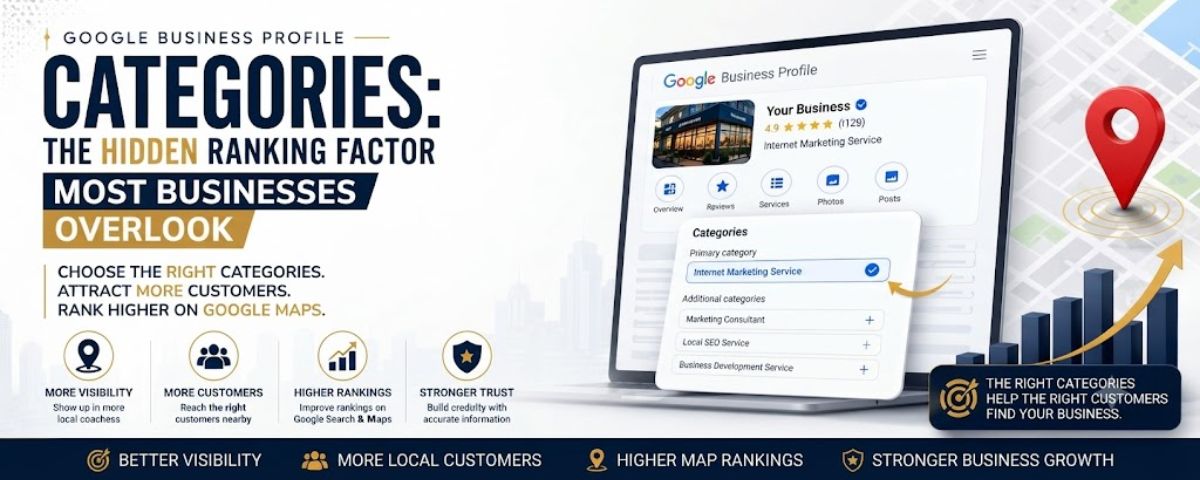
Google Business Profile Categories are one of the most important settings that help Google understand what your business offers and which customers should discover your profile.
When a potential customer searches for a plumber, dentist, restaurant or local service provider Google needs to understand which businesses are most relevant to that search.
Your selected categories provide important context about your services and influence how your business appears across Google Search and Google Maps.
Many small businesses create a Google Business Profile but choose categories without proper research. This can lead to irrelevant visibility, fewer customer actions and missed opportunities.
This Google Business Profile Categories Guide explains how categories work, how to choose the right options and how to avoid common mistakes that affect local search performance.
What Are Google Business Profile Categories?
Google Business Profile categories are predefined labels that describe your business type and main services.
They help Google understand what your company does so your profile can appear for relevant customer searches.
For example:
- A plumbing company may choose Plumber
- A dental office may choose Dentist
- A law office may choose Law Firm
- A restaurant may choose a specific restaurant category
The goal is to choose categories that accurately describe your real business instead of selecting unrelated options for more visibility.
How Google Uses Categories
Categories help Google connect customer intent with relevant businesses.
When someone searches for a service nearby Google evaluates multiple signals including:
- Business relevance
- Location information
- Customer reviews
- Website information
- Profile quality
- Business categories
Your categories work together with other Google Business Profile Optimization elements to create a clearer understanding of your business.
Categories vs Services: What Is The Difference?
Many business owners confuse categories and services but they serve different purposes.
A category explains your business type.
A service explains what you specifically provide.
Example:
Category:
- Plumber
Services:
- Emergency plumbing repair
- Drain cleaning
- Water heater installation
Your category builds the foundation while your services provide more detailed information for customers.
Why Choosing The Right Google Business Profile Categories Matters
Selecting accurate Google Business Profile Categories can improve how clearly Google understands your business.
Your category choice affects relevance which is an important part of Google Maps SEO.
The right categories help connect your business with people searching for your services.
Improve Business Relevance
Google wants to show users businesses that match their search intent.
If your categories are inaccurate Google may struggle to understand when your profile should appear.
For example a company specializing in electrical repair should use an electrician-related category instead of a broad home improvement option.
Reach Better Potential Customers
Visibility alone does not create business growth.
You need visibility from people searching for the services you actually provide.
Accurate categories help attract more relevant visitors who are more likely to contact your business.
Support Google Maps SEO Performance
Categories are only one part of Google Maps SEO but they create an important foundation.
A complete strategy usually includes:
- Correct categories
- Optimized services
- Helpful business description
- Customer reviews
- Quality photos
- Website optimization
- Local citations
When these elements work together your business creates stronger local search signals.
Primary Category vs Secondary Categories: What Is The Difference?
Your Google Business Profile has two different category areas:
- Primary category
- Secondary categories
Understanding the difference helps you make better optimization decisions.
What Is A Google Business Profile Primary Category?
Your primary category is the main description of your business.
It should represent your most important service and the main reason customers choose your company.
For many businesses this is one of the most important profile decisions.
How To Choose Your Primary Category
Ask yourself:
- What is my main service?
- What service generates the most business?
- What are customers mainly searching for?
- Which category describes my company best?
A focused primary category is usually better than choosing a broad category that does not clearly explain your business.
What Are Google Business Profile Secondary Categories?
Secondary categories provide additional information about related services your business offers.
They help describe other important areas without replacing your main category.
Example:
For a dental business:
Primary category:
- Dentist
Secondary categories:
- Cosmetic Dentist
- Dental Clinic
Only add secondary categories that genuinely match your business services.
How To Choose The Right Google Business Profile Categories Step By Step
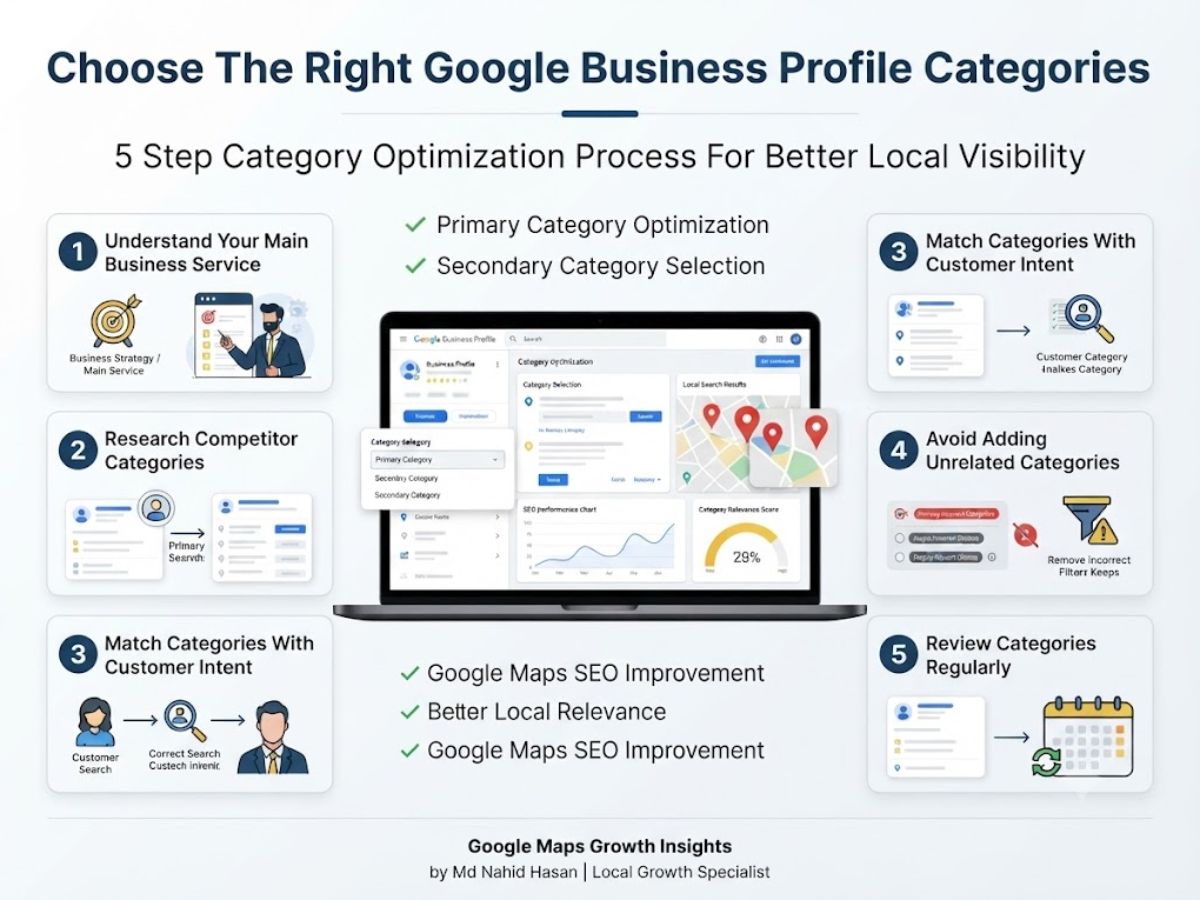
Choosing the right categories requires understanding your business, customers and local competition.
The goal is not adding the highest number of categories. The goal is selecting the most accurate options that describe your services.
A strong Google Business Profile Management strategy starts with category relevance because categories influence how Google understands your business entity.
1. Understand Your Main Business Service
The first step is identifying the primary service your business provides.
Your primary category should represent the main reason customers contact your company.
Think about:
- Your main revenue service
- Your strongest expertise
- Customer search behavior
- Your business goals
For example a company focused on plumbing repair should choose a plumbing-related category instead of a general contractor category.
Being specific helps Google understand your relevance better.
2. Research Competitor Categories
Competitor research can help you understand how similar businesses organize their profiles.
Review businesses that already perform well in your industry and compare their category choices.
Look for:
- Their primary category
- Additional category options
- Service structure
- Profile optimization approach
Competitor research does not mean copying everything. Your categories should always match your actual services.
A Google Business Profile Audit can help identify category gaps and improvement opportunities compared with competitors.
3. Match Categories With Customer Intent
The best categories connect your business with what customers are searching for.
Customer intent means understanding the reason behind a search.
Example:
A customer searching for emergency plumbing help wants a specific solution.
A business with accurate categories and services gives Google clearer information about when the profile is relevant.
Ask These Questions:
- What problems do customers need solved?
- What words describe my service best?
- Does this category match my real business?
- Would customers expect my company under this category?
4. Avoid Adding Unrelated Categories
Some businesses add every possible category hoping to appear for more searches.
This can create confusion because unrelated categories make your business focus unclear.
Quality and accuracy are more important than quantity.
Bad Example:
A roofing company adding plumbing, electrical and unrelated repair categories when they do not provide those services.
Better Approach:
Choose categories directly connected to your actual services and customer needs.
5. Review Categories Regularly
Your business may change over time.
You might add new services, remove old services or discover better category options.
Review your Google Business Profile Categories regularly to make sure they still represent your company correctly.
Google Business Profile Category Examples By Industry
Every industry requires a different category strategy.
Below are examples of how businesses can think about category selection.
Plumbers
Primary Category:
- Plumber
Possible Secondary Categories:
- Emergency Plumber
- Drainage Service
- Water Heater Service
A plumbing company should focus on services customers actually search for instead of unrelated home categories.
Electricians
Primary Category:
- Electrician
Possible Secondary Categories:
- Electrical Installation Service
- Electrical Repair Service
The goal is connecting the business with people searching for electrical solutions.
Dentists
Primary Category:
- Dentist
Possible Secondary Categories:
- Cosmetic Dentist
- Dental Clinic
Dental businesses should choose categories based on actual treatments and professional services offered.
Law Firms
Primary Category:
- Law Firm
Possible Secondary Categories:
- Personal Injury Attorney
- Family Law Attorney
- Legal Services
Specific categories help potential clients understand the type of legal support available.
Restaurants
Primary Category:
- Restaurant
Possible Secondary Categories:
- Specific cuisine category
- Food service related categories
Restaurants should choose categories that accurately describe their food style and customer experience.
Real Estate Businesses
Primary Category:
- Real Estate Agent
Possible Secondary Categories:
- Real Estate Consultant
- Real Estate Agency
Correct categories help connect real estate professionals with people searching for property services.
How Categories Work With Google Maps SEO
Categories are one piece of a complete Google Maps SEO strategy.
To understand How To Rank Higher On Google Maps businesses need to improve multiple areas together.
Important ranking support areas include:
- Relevant Google Business Profile Categories
- Optimized service descriptions
- Customer reviews
- Helpful website content
- Local citations
- Consistent business information
Your categories tell Google what you do while your other optimization efforts help strengthen trust and relevance.
Common Google Business Profile Category Mistakes
Choosing categories looks simple but many businesses make mistakes that reduce profile quality and create confusion.
Avoiding these mistakes helps build a stronger Google Business Profile Optimization strategy.
Choosing Categories That Are Too Broad
A broad category may not clearly explain your main service.
For example a specialized repair company should avoid choosing a general category if a more accurate option is available.
Specific categories usually create better relevance between your business and customer searches.
Copying Competitor Categories Without Research
Competitor research is helpful but copying another business without understanding their strategy can create problems.
Another company may provide different services or have different business goals.
Always compare competitors but make decisions based on your actual services.
Ignoring Secondary Categories
Secondary categories can provide additional context about your business.
Some businesses only choose a primary category and forget to include other relevant services.
Adding accurate secondary categories helps Google better understand your complete service offering.
Adding Unrelated Categories
Adding categories only because they have search demand is a common mistake.
Your categories should match real services your business provides.
Accuracy creates a better customer experience and supports stronger Local Search Optimization.
Never Updating Categories
Businesses evolve over time.
If you add new services or change your focus your categories should reflect those updates.
Regular reviews help keep your profile information accurate.
Google Business Profile Category Optimization Checklist
Use this checklist when reviewing your category strategy:
- Choose the most accurate primary category
- Research competitor categories
- Add relevant secondary categories
- Avoid unrelated category choices
- Match categories with your services
- Optimize your service descriptions
- Align website content with your business focus
- Review categories regularly
- Monitor customer interactions
- Update your profile when services change
A complete Google Business Profile Management process combines categories, services, content and ongoing improvements.
Frequently Asked Questions About Google Business Profile Categories
What are Google Business Profile categories?
Google Business Profile categories describe your business type and help Google understand what services your company provides. They connect businesses with relevant customer searches on Google Search and Maps.
How many categories should I add to my Google Business Profile?
You should add categories that accurately represent your business. Focus on relevance instead of adding every available option.
Can changing categories affect Google Maps ranking?
Changing categories can influence how Google understands your business relevance. Before making changes review your services, competitors and customer search intent.
What is the best primary category for my business?
The best primary category is the option that most accurately represents your main service and matches what your ideal customers are searching for.
Should I copy competitor categories?
No. Competitor research is useful but your category selection should always reflect your own services and business structure.
How often should I update GBP categories?
Review your categories whenever your services change or during regular Google Business Profile Audit checks to maintain accuracy.
Final Thoughts
Choosing the right Google Business Profile Categories is an important foundation for building a stronger local presence.
Categories help Google understand your business but they work best when combined with complete profile optimization, helpful content, reviews and website improvements.
Successful businesses focus on accuracy, customer experience and consistent updates instead of shortcuts.
A strong category strategy combined with Google Maps SEO and Local SEO Services can help create better visibility for the right audience.
About The Author
Md Nahid Hasan is a Google Business Profile and Local SEO Specialist helping businesses improve Google Maps visibility, local search performance and sustainable online growth.
He specializes in Google Business Profile Optimization, Google Maps SEO and Local SEO strategies designed to help businesses create a stronger online presence.
Want results like this for your business?
I'll review your current search presence and tell you exactly what's holding you back — no obligation, no fluff.
Get My Free SEO Audit